Welcome toMOVVE WALLETRevolutionizing your finances with the power of Artificial Intelligence.


About the platform
What is Movve Wallet?
Movve Wallet is a digital finance platform that combines the practicality of a crypto wallet with the intelligence of automated operations in the Forex and crypto markets.
Everything happens in a decentralized way: you connect your own Trust wallet, keep full control of your assets and follow the results in real time with transparency.
For investors
Movve's A.I. yields 0 to 1.5% per day, operating Monday to Friday, reaching up to 30% per month. The company's investment cycle is 300% — in other words, your capital can yield up to a maximum of 300%.
- • Deposits from US$ 35
- • Withdrawals from US$ 100
- • Withdrawal fee: 7%
Expansion directors
Bonus commission plan for expansion directors: Campaign valid until June 21, 2026.
- • 10% return of direct investment
- • 10% Binary bonus
After June 21, the campaign ends and we return to the original commission plan
- • 7% return on direct investment
- • 7% binary bonus
Expansion directors matching bonus
Bronze
- • 1 active direct on each side (minimum 200)
- • Lesser leg volume: 20,000
- • 5% matching bonus up to level 1
Silver
- • 2 active directs on each side (minimum 200)
- • Lesser leg volume: 60,000
- • 4% matching bonus up to level 2
Gold
- • 5 active directs on each side (minimum 200)
- • Lesser leg volume: 120,000
- • 3% matching bonus up to level 3
Emerald
- • 6 active directs on each side (minimum 200)
- • Lesser leg volume: 240,000
- • 2% matching bonus up to level 4
Ruby
- • 7 active directs on each side (minimum 200)
- • Lesser leg volume: 500,000
- • 2% matching bonus up to level 5
Diamond
- • 8 active directs on each side (minimum 200)
- • Lesser leg volume: 1,000,000
- • 2% matching bonus up to level 6
Double Diamond
- • 9 active directs on each side (minimum 200)
- • Lesser leg volume: 3,000,000
- • 2% matching bonus up to level 7
Triple Diamond
- • 10 active directs on each side (minimum 200)
- • Lesser leg volume: 6,000,000
- • 2% matching bonus up to level 8
Director
- • 15 active directs on each side (minimum 200)
- • Lesser leg volume: 20,000,000
- • 2% matching bonus up to level 9
Ambassador
- • 30 active directs on each side (minimum 200)
- • Lesser leg volume: 60,000,000
- • 2% matching bonus up to level 10
Equity Wallet
Tool available inside the Movve ecosystem: Equity Wallet — keep your earnings inside our ecosystem and receive up to 7% on the amount placed in the Equity Wallet, with daily payouts, yielding 7% per month.
At the end of this page you'll find a simple step-by-step guide to create your account directly from your phone. Let's go:
TRANSPARENCY
AND STRENGTH
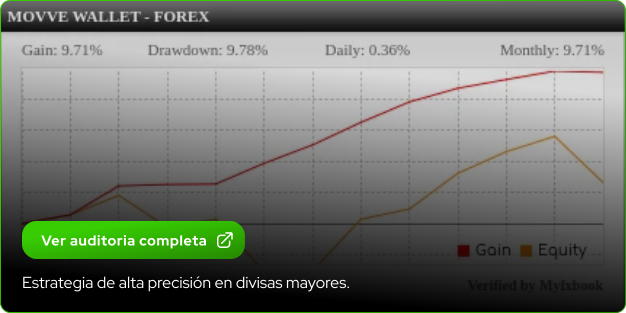
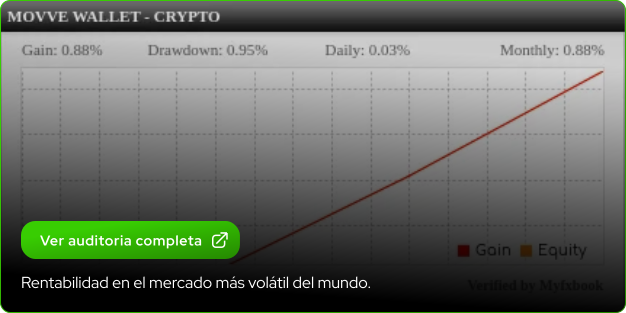
Real, audited results in real time.
No empty promises, only verifiable facts.

'%3e%3cpath%20d='M37.4289%2023.5963C34.8912%2033.775%2024.5813%2039.969%2014.4015%2037.4313C4.22639%2034.8936%20-1.9682%2024.5837%200.570078%2014.4056C3.10658%204.22572%2013.4159%20-1.96949%2023.5927%200.568208C33.772%203.10591%2039.966%2013.417%2037.4283%2023.5963H37.4289Z'%20fill='white'%3e%3c/path%3e%3cpath%20d='M27.3775%2016.2931C27.7551%2013.765%2025.8302%2012.4059%2023.1981%2011.4992L24.0519%208.07446L21.9666%207.55492L21.1354%2010.8894C20.5879%2010.7529%2020.0251%2010.624%2019.4658%2010.4964L20.3029%207.13989L18.2195%206.62036L17.3651%2010.0439C16.9114%209.94061%2016.4661%209.83849%2016.0339%209.73102L16.0363%209.72033L13.1613%209.00249L12.6068%2011.229C12.6068%2011.229%2014.1535%2011.5835%2014.1208%2011.6055C14.9651%2011.8163%2015.1183%2012.375%2015.0922%2012.8179L14.1196%2016.7195C14.1778%2016.7343%2014.2532%2016.7557%2014.3363%2016.7889L14.1167%2016.7343L12.7528%2022.1998C12.6495%2022.4563%2012.3877%2022.841%2011.7975%2022.695C11.8183%2022.7252%2010.2822%2022.3167%2010.2822%2022.3167L9.24731%2024.7036L11.9608%2025.3799C12.4654%2025.5064%2012.96%2025.6388%2013.4463%2025.7635L12.5836%2029.228L14.6659%2029.7475L15.5209%2026.3204C16.0891%2026.4748%2016.6413%2026.6173%2017.1816%2026.7515L16.3302%2030.1625L18.4148%2030.6821L19.2775%2027.2247C22.8323%2027.8974%2025.506%2027.626%2026.6299%2024.4115C27.5366%2021.8227%2026.5854%2020.3295%2024.7151%2019.3551C26.0772%2019.0398%2027.1032%2018.1439%2027.3769%2016.2931H27.3775ZM22.6138%2022.9722C21.969%2025.561%2017.6109%2024.1621%2016.1972%2023.8106L17.3419%2019.2215C18.755%2019.5742%2023.2859%2020.2725%2022.6144%2022.9722H22.6138ZM23.258%2016.2557C22.6702%2018.6105%2019.0424%2017.4141%2017.865%2017.1208L18.9029%2012.9586C20.0803%2013.252%2023.8708%2013.7994%2023.258%2016.2557V16.2557Z'%20fill='%23000200'%3e%3c/path%3e%3c/g%3e%3cdefs%3e%3cclipPath%20id='clip0_11298_195242'%3e%3crect%20width='38'%20height='38'%20fill='white'%3e%3c/rect%3e%3c/clipPath%3e%3c/defs%3e%3c/svg%3e)
UNDERSTANDING THE
MARKET

WHAT IS TRADING?
Trading is the buying and selling of financial assets with the aim of making a profit. It is the skill of riding the waves of the market.

FOREX MARKET
Forex (Foreign Exchange) is the global currency market. It is the largest and most liquid financial market in the world.

CRYPTO MARKET
A decentralized financial ecosystem based on blockchain technology, offering security, transparency, and global opportunities.
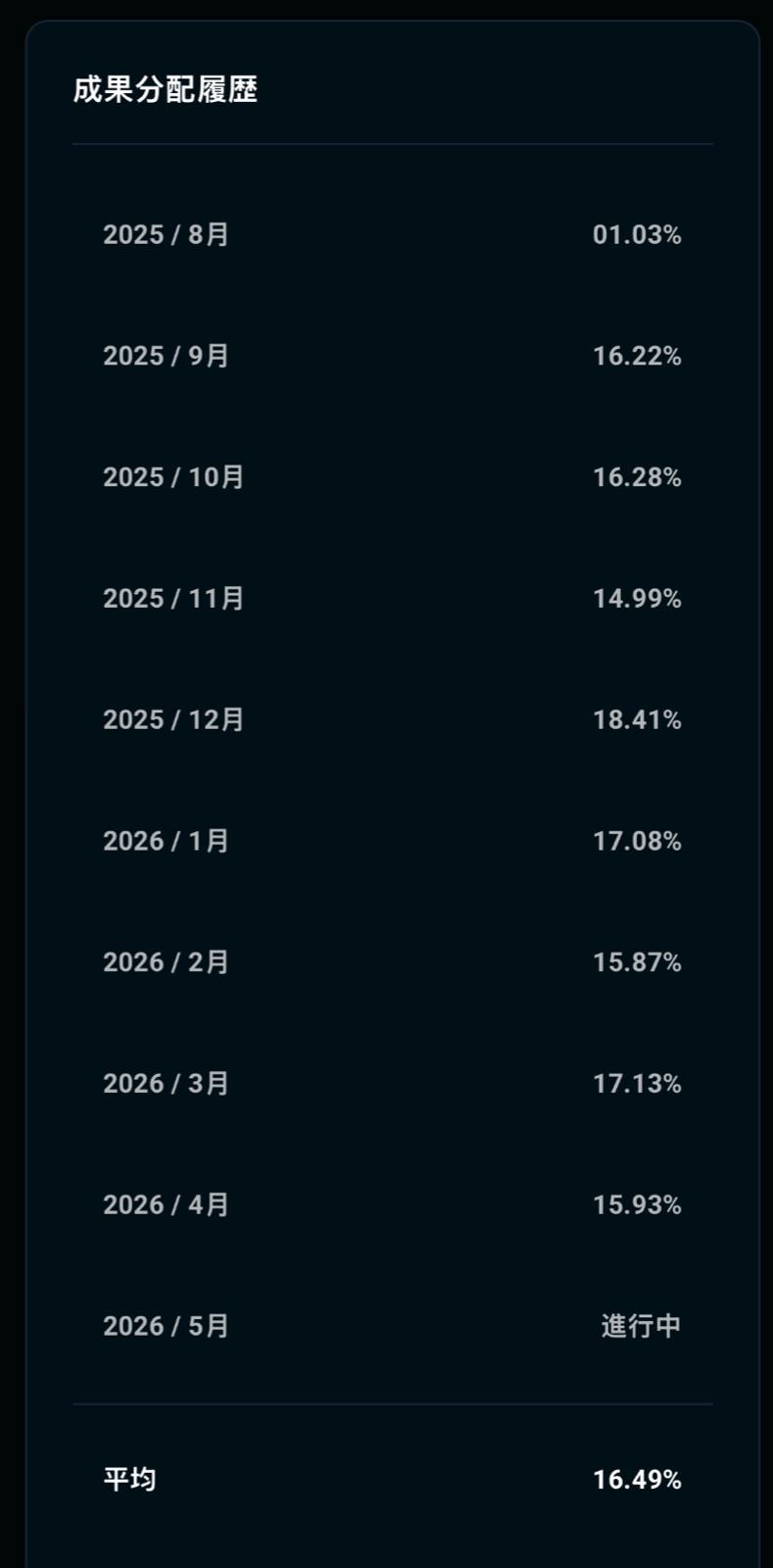
PERFORMANCE
DISTRIBUTION HISTORY
Monthly distribution results from the last several months — published with full transparency.
Step by step
How to sign up on Movve
Follow the steps below on your phone. In a few minutes your account will be ready.
- 1
Download the Trust Wallet app
Trust Wallet is the world's most used and most secure crypto wallet, and it's the one you'll use to create your Movve account. Download it from your phone's store:
- 2
Open Trust and tap "Create Wallet"
On the app's home screen, choose Create Wallet to create a new wallet.
- 3
Accept the terms of use
Scroll to the bottom of the agreement and tap the next button to continue.
- 4
Create a name and password for the wallet
Set a name, create a strong password (uppercase, lowercase, number and at least 8 characters) and confirm. Then tap Create Wallet.
Important: Trust does not store your password. Keep it safe. - 5
Back up your recovery phrase (mnemonic)
The app will show 12 words in the correct order. Take a screenshot or write them down in a safe place. Anyone with access to these words has access to all your assets.
- 6
Confirm the recovery words
The app will ask you to select the words at the indicated positions (e.g., #6, #8, #10) to confirm your backup. Tap Complete.
- 7
Wallet successfully created
Done, your Trust wallet is ready. Now let's connect it to Movve Wallet.
- 8
Open the Movve signup link
Copy the link below, paste it in your phone's browser, and on the Movve page choose Trust:
Open signup link - 9
Tap "Open" to launch the Trust app
The browser will ask permission to open Trust. Confirm.
- 10
Tap "Approve" to authorize account creation
Inside Trust, approve the connection to Movve Wallet.
- 11
Create your username and tap "Register"
You'll return to the Movve page. Pick a username and finish by tapping Register.
- 12
Confirm the message signature
Trust will open again asking you to confirm a Message Signature. Tap Confirm.
- 13
Enter the Trust password
Enter the password you created in step 4 and tap Confirm.
- 14
Signup complete!
Done! Your Movve Wallet account is created and connected. Welcome!
THE ONLY DIFFERENCE
Between where you are today and where you want to be tomorrow, is what you do today.
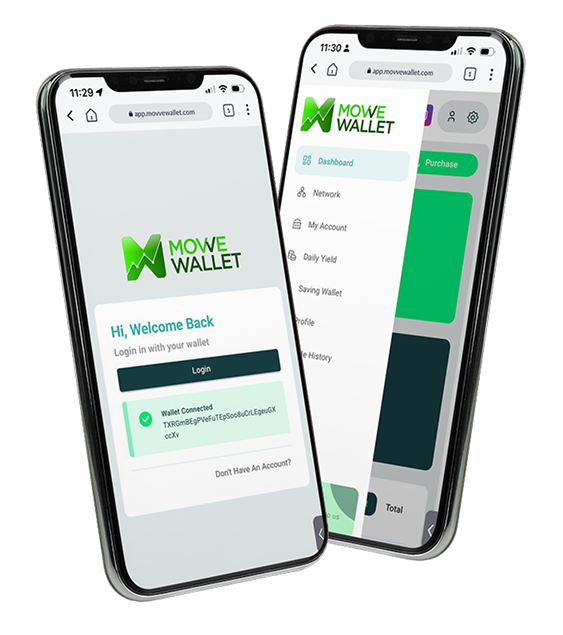
Take Movve Wallet
WITH YOU
A decentralized financial ecosystem based on blockchain technology, offering security, transparency, and global opportunities.
Get StartedContact us
Contact us on LINE
Tap the button below or scan the QR code to add Move Wallet Japan's official LINE account as a friend.